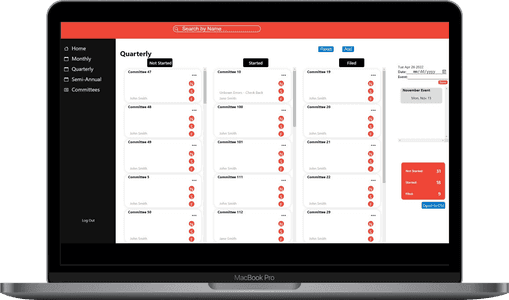
Client CRM
The Client CRM application was designed to address inefficiencies in how our support team tracked clients’ statuses during reporting periods. The main objective was to move away from manual Excel tracking, which was time-consuming and prone to error, and develop a tailored CRM (Customer Relationship Management) solution using Next.js, MongoDB, and NodeJS.
The Problem
Before building this tool, our team tracked client progress using Excel sheets. While functional, this process had several drawbacks:
- Tedious and Time-Consuming: Updating Excel sheets manually was inefficient and slowed down the team during busy reporting periods.
- Inconsistent Information: Spreadsheets were easily misplaced or modified by different team members, causing issues with version control. Clients would occasionally be lost in the shuffle, or Point of Contact (POC) information would get outdated.
The Solution
To solve these issues, I created a full-stack CRM application that streamlined our workflow and provided a single source of truth for client data. This resulted in faster tracking, less human error, and greater consistency in client records.
Key Improvements
-
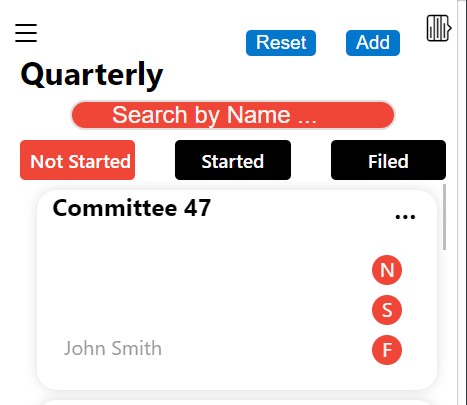
User-Friendly Interface: The UI was built with Next.js to allow support team members to quickly scroll through clients and update their statuses with a single click. This dramatically reduced the time spent updating client information.
-
Centralized Database: Switching to MongoDB provided a reliable, centralized data store. Instead of multiple, error-prone spreadsheets, the team now had one definitive source of client data that was always up-to-date.
-
Quick Metrics and Exports: The CRM also allowed users to generate quick totals of client statuses and export these as spreadsheets when needed for reports or sharing with stakeholders.
Core Features
This CRM is a full CRUD application (Create, Read, Update, Delete), with several key features that make it effective for day-to-day tracking:
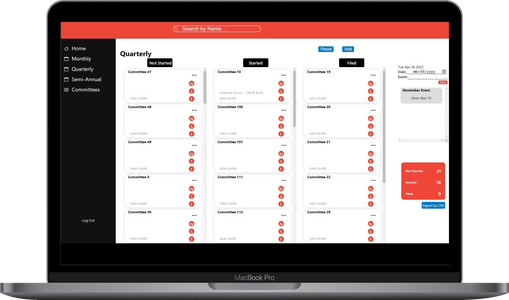
- Group Management: The ability to create new records and assign them to specific groups, making it easy to categorize clients.
- Progress Tracking: Each client’s progress can be updated in real-time, with quick visibility into who’s completed the process and who hasn’t.
- Record Management: Each record stores important data, such as the date completed, client notes, and Point of Contact (POC) information.
- At-a-Glance Totals: Users can easily view total counts for client statuses on each page.
- Spreadsheet Export: For sharing or further analysis, the CRM supports exporting the current data into a spreadsheet.
Tech Stack
The stack I used for this project leverages modern web technologies:
- Frontend: Built with Next.js, a powerful React framework that allows for both client-side and server-side rendering, making the app fast and responsive.
- Backend: The backend API was created with NodeJS and ExpressJS, which provides a lightweight and efficient framework to handle server-side logic and routing.
- Database: The client data is stored in MongoDB, a NoSQL database known for its flexibility and scalability.
- Authentication: To secure the application, I implemented JWT Token Authorization, ensuring that only authenticated users can access the CRM.
Final Thoughts
The Client CRM has proven to be a game-changer for our support team, streamlining their workflow and reducing the inefficiencies that came with manual data entry. It also provided valuable learning experiences for me, particularly in handling user authentication, creating a seamless UI, and managing a NoSQL database.
Feel free to check out the GitHub repository to dive deeper into the code.
Happy coding!